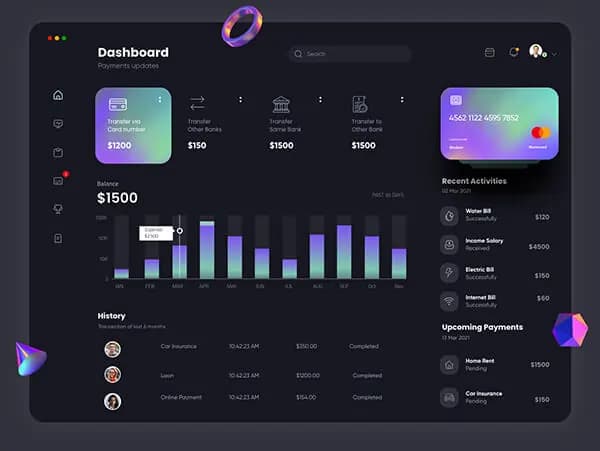

React and Next.js have become the gold standard for building modern web applications. This powerful combination offers server-side rendering, automatic code splitting, and excellent developer experience while maintaining high performance and SEO capabilities.
Why Choose React and Next.js?
React Benefits
React's component-based architecture promotes reusability and maintainability. Its virtual DOM ensures efficient updates, while hooks provide a clean way to manage state and side effects.
Next.js Advantages
Next.js extends React with production-ready features:
- Server-Side Rendering (SSR): Improves SEO and initial page load times
- Static Site Generation (SSG): Pre-renders pages at build time for maximum performance
- API Routes: Build full-stack applications with integrated backend functionality
- Automatic Code Splitting: Optimizes bundle sizes for faster loading
Setting Up Your Development Environment
Project Initialization
Start with the Next.js CLI for the best development experience:
npx create-next-app@latest my-app --typescript --tailwind --eslintEssential Dependencies
Consider adding these popular libraries:
- Tailwind CSS: Utility-first styling framework
- Framer Motion: Smooth animations and transitions
- React Query: Powerful data fetching and caching
- React Hook Form: Performant forms with easy validation
Building Responsive Components
Mobile-First Design
Always start with mobile layouts and progressively enhance for larger screens. Use CSS Grid and Flexbox for flexible layouts that adapt to different screen sizes.
Responsive Images
Next.js provides an optimized Image component that automatically serves the best image format and size for each device:
import Image from 'next/image'

<Image
  src="/hero-image.jpg"
  alt="Hero Image"
  width={800}
  height={600}
  priority
  responsive
/>
Performance Optimization
Code Splitting and Lazy Loading
Use dynamic imports to split code and load components only when needed:
import dynamic from 'next/dynamic'

const DynamicComponent = dynamic(() => import('../components/HeavyComponent'), {
  loading: () => <p>Loading...</p>,
  ssr: false
})
Bundle Analysis
Use Next.js bundle analyzer to identify optimization opportunities:
npm install --save-dev @next/bundle-analyzerSEO and Accessibility
Meta Tags and Open Graph
Use Next.js Head component to manage meta tags:
import Head from 'next/head'

<Head>
  <title>Page Title</title>
  <meta name="description" content="Page description" />
  <meta property="og:title" content="Page Title" />
  <meta property="og:description" content="Page description" />
</Head>
Accessibility Best Practices
- Use semantic HTML elements
- Implement proper ARIA labels
- Ensure keyboard navigation works correctly
- Maintain proper color contrast ratios
- Test with screen readers
State Management
React Context vs External Libraries
For simple state management, React Context is often sufficient. For complex applications, consider Redux Toolkit or Zustand for more sophisticated state management needs.
Server State vs Client State
Distinguish between server state (data from APIs) and client state (UI state). Use libraries like React Query or SWR for server state management.
Testing and Quality Assurance
Testing Strategy
Implement a comprehensive testing approach:
- Unit Tests: Test individual components with Jest and React Testing Library
- Integration Tests: Test component interactions and data flow
- E2E Tests: Use Playwright or Cypress for end-to-end testing
Deployment and Production
Vercel Deployment
Vercel, created by the Next.js team, offers seamless deployment with automatic HTTPS, CDN, and serverless functions.
Performance Monitoring
Implement monitoring and analytics to track real user performance:
- Core Web Vitals monitoring
- Error tracking with Sentry
- Analytics with Google Analytics or Plausible
Building responsive web applications with React and Next.js requires careful planning, attention to performance, and adherence to best practices. By following these guidelines and staying updated with the latest developments in the React ecosystem, you'll create applications that provide excellent user experiences across all devices.